GoHighLevel AI features are changing how agencies, consultants, and small businesses manage workflows, communications, and funnels. Instead of having to use and connect various tools, HighLevel lets you verbally describe what you want, and converts your request into functional automations, pages, and AI agents in a matter of minutes.
Workflow AI: From Initiating a Prompt to Full Automation
You can find Workflow AI in the automation section of GoHighLevel. Instead of painstakingly constructing a sequence step by step, you simply type a clear prompt. An example from the video looks something like this:
“After a customer fills out a form, send a sign-up thank-you email, wait two days, and send an SMS asking for a discovery call. If they reply, thank them with an SMS; if they don’t, send a follow-up email.”
Then, GoHighLevel AI completes the workflow for you. This includes:
- The trigger (form submission)
- A thank-you email (automated from your prompt)
- Delay steps (like the two-day wait)
- The SMS with the specific question you asked
- Logic branches for reply vs. no reply
- Content for the follow-up email
The system does not add empty actions. Instead, it writes the email and SMS content based on your instructions. Drafting and building everything manually takes a lot of time, so it is worth the one- to two-minute wait for the system to generate.
Workflows also integrate with AI features, which include:
- Content Translation
- Text Summarization
- Intent Detection
- Sending prompts to GPT (OpenAI) for use in automations
Because these actions are considered advanced, they’re charged on an execution basis, making them premium workflow actions. These are especially useful when you need to generate personalized responses on the fly, summarize responses to lengthy questions, or create form-based offers.
To get the most from workflow AI, it’s best to be as specific as possible. Describe the trigger, timing, channels, and results you envision. If your prompts are vague, your automations will be too. If you include specific details, the events in your workflow will be much more precise.
Conversation & Review AI: Always-On Agents That Still Know When to Hand Off
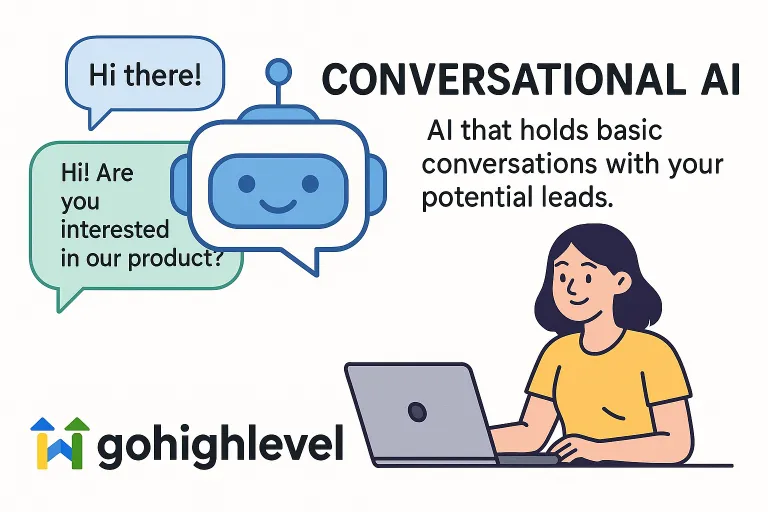
Conversation AI in GoHighLevel enables you to create bots that can reply to leads via SMS, WhatsApp, Facebook, and other platforms. You select a type of bot (such as prompt-based) and set its objectives (for instance, “manage appointment bookings”).
Keep in mind the following components of conversing AI:
- A knowledge base that functions like an internal business encyclopedia
- A bot status (autopilot to auto respond)
- Channel toggles to control where the bot is operational
- Additional settings like response delay, and a cap on the number of messages per chat
One of the most unique features is human handover. If a lead types “I want to talk to a human” or “Can I speak to a manager?”, the bot is able to recognize these and hand off the conversation to a team member. You can set the conversation assignment to a specific user and personalize the final bot response for instance: “Sure, I’m transferring your request to a human agent.”
On the reputation side, Review AI gives you two layers of support:
An AI summarizes your reviews as a whole so that you can quickly analyze and gain sentiment without going through every single review.
An AI agent that replies to reviews, asks for new reviews after visits, and recommends customized replies.
You can define which reviews the agent replies to (for example, only the 5-star reviews, or certain rating ranges), select a persona template, tone, language, and even include a signature like “Thanks!” to every response. This continues to preserve your brand voice and gives you time savings.
With all these features, your business can be truly responsive, while still being compliant with the necessary elements of human control.
Funnel, Website, & Builder AI: From Ideas to Launch Ready Pages in Seconds
Funnel AI and Website AI integrate GoHighLevel’s AI capabilities into funnel and website building. Now, in the Sites section, you may select either Funnels or Websites, and click on “Build with AI” or “Funnel AI.”
You simply need to provide some information, e.g.:
- Funnel or website name
- What industry you’re in (i.e. real estate)
- What is the main purpose (i.e. to generate leads)
- Who is the target customer (i.e. small businesses)
- What type of offer (i.e. a course or training)
HighLevel will automatically create a detailed prompt and build a funnel page for you. The AI will create a to-do list (you can customize the page with a headline, sections, FAQs, a specific page layout, etc.) and then complete the tasks. In under a minute, you could have:
- A complete hero section and main headline relevant to your niche and offer
- Sections outlining the benefits and features
- CTA (Call to Action) blocks
- FAQs
- A layout that’s optimized for mobile
You have the ability to edit everything, such as using AI to make improvements to the text, or you can add and customize images, change sections, and make everything consistent with your brand. Website AI takes the same approach, except it is for websites with multiple pages.
For agencies and consultants, this dramatically reduces build times. You don’t have to start from a blank canvas. You start with context-driven, conversion-focused templates based on your input.